When Your Dev Machine Lives in the Corner: Building a Dev Stack Without Vendor Lock-In
I’ve spent more than six years building iOS apps. The platform, the tools, the design paradigm—I know them inside out. When I pivoted to building ClickNBack’s backend, my reasoning was straightforward: understand the complete product loop. I spent months in Python, FastAPI, Postgres, all the infrastructure that powers the system users never see. And after all that depth, the realization that crystallized was unavoidable: I’m a product engineer who goes deep in iOS, with backend knowledge that makes my product decisions sharper. Not a generalist. Not a full-stack engineer trying to be everything. Someone who owns a complete experience end-to-end.
For months, I’d been using a Slimbook One as my daily driver with Debian—the perfect machine for backend development. The hardware was solid, the workflow was lean, and the system costs were transparent. No vendor lock-in. No surprise refresh cycles. Just a machine that worked brilliantly for the work I was doing. And then came the realization: I needed to build the iOS client.
Rethinking the Problem
The obvious move seemed clear: sell the Slimbook, buy a MacBook Pro with specs enough to handle both iOS development and the backend work. That’s what the conventional wisdom suggests. A single machine, properly specced, ready for anything.
But that decision didn’t sit right. The Slimbook was perfect for backend work. Why abandon it? And why overpay for a MacBook Pro when I could buy a cheaper machine optimized for iOS development and keep the Slimbook doing what it does best?
So I started thinking about the problem differently.
The insight wasn’t original, but it turned out to be invisible to most developers. I didn’t need my laptop to be powerful. I needed access to something powerful. And the bridge between them—SSH and a terminal window—has been sitting in plain sight since the ’80s. The question wasn’t whether it would work. It was whether I could build it without adding operational overhead that would kill the idea within a month.
The Hardware Realization
Here’s the insight that shifted everything: I didn’t need a single machine that did everything. I needed two machines, each optimized for what it actually needs to do.
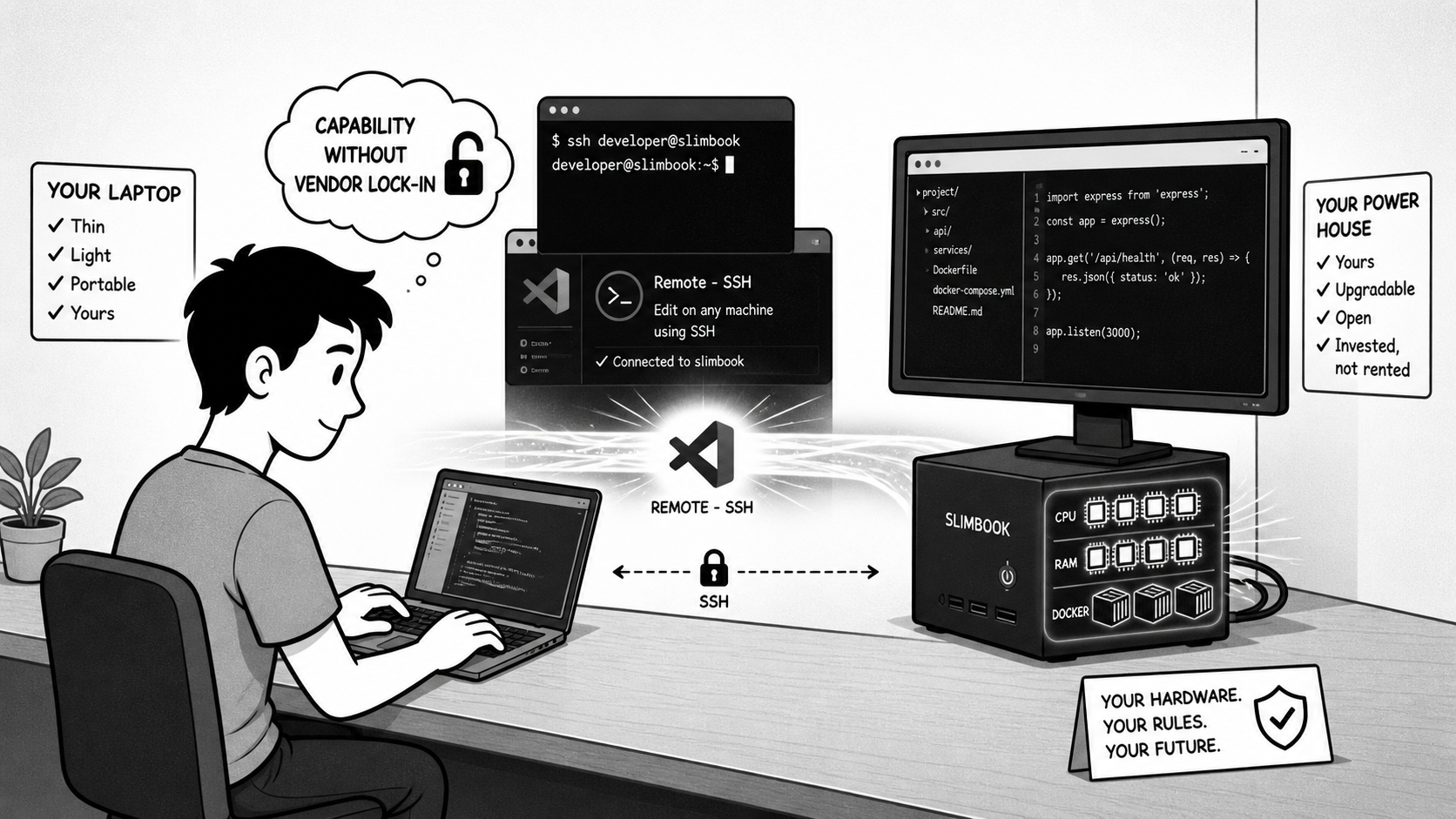
The Slimbook was already doing backend work beautifully—96GB of RAM, 16 cores, enough compute to run Proxmox with multiple VMs without breaking a sweat. Reselling it to fund a MacBook Pro meant losing that capability and overpaying for specs (like gaming-grade GPUs or max-out RAM) that iOS development doesn’t need. Instead, what if I repurposed the Slimbook as a dedicated server—the machine living in the corner, always on, always ready—and paired it with a MacBook Air M5 optimized specifically for iOS work?
So I repurposed the Slimbook as my backend server and bought a MacBook Air M5 as my iOS development machine.
Let me be clear about what this means: I didn’t go cheap. The M5 is a real machine—it costs real money, and it’s worth every penny for iOS work. Xcode, Simulator, Instruments—these tools are optimized for the M-series architecture and integrated seamlessly with macOS. The M5 handles all of that without complaint. What I didn’t do was buy a MacBook Pro and overpay for specs I’d never use or need to feed Apple’s refresh cycle.
On the Slimbook, I installed Proxmox on the bare metal. Now it runs a cluster of virtual machines: one for the backend dev environment where ClickNBack’s Python, FastAPI, and Postgres live; another for staging; another for local LLM experimentation—the fraud detection and transaction categorization models I want to explore. With enough breathing room to evolve the system without bumping into hardware constraints.
This is not exotic infrastructure. It’s the same pattern DevOps teams have used for a decade—an always-on server sitting in the corner, virtualized and ready. The philosophy is simple: separate concerns. The machine doing backend work does backend work. The machine running Xcode does iOS development. Each optimized for its purpose. Each affordable because neither one pays for unnecessary capacity.
The Workflow: iOS Client on the M5, Backend on the Slimbook
When I need to write iOS code, I’m on the MacBook Air M5 with Xcode, running the Simulator directly. That’s essential—iOS development requires tight integration between the Mac and the tools; there’s no affordable way to remote that.
When I need to work on the backend, I open VS Code on the M5 and connect to my Slimbook via the Remote - SSH extension. The editor window runs locally, but the terminal, file system, Docker stack, and all the Python infrastructure point at the remote machine. I build, test, and deploy from a terminal running on 16 cores and 96GB of RAM, while the M5 itself isn’t burdened by the compute load.
If I need to run language models locally, spin up a staging environment, or test a batch processing job, that’s all running on the Slimbook—not draining the M5’s battery, not competing for the resources I need for Xcode. The SSH latency is imperceptible. File sync happens instantly. The workflow is fluid.
Why This Matters
The conventional advice is: upgrade to a single, well-specced machine that handles everything. One computer, all your work, no context switching. That’s appealing in its simplicity—and it’s exactly backwards when you think about the actual constraints.
The real skill is in diverging thoughtfully from that consensus. Sometimes two machines, each optimized for a specific concern, cost less money and deliver more capability than one machine that tries to do everything. You get hardware freedom, cost efficiency, and tools that actually fit what you’re trying to do. It requires thinking from first principles: what does iOS development actually need? What does backend development actually need? And can I meet both without overpaying?
The concrete payoff is real. I avoided a MacBook Pro purchase entirely—not by going cheap, but by being intentional. The M5 is a genuine investment in iOS tooling. The Slimbook is a genuine investment in backend infrastructure that compounds as I keep building on it. Together, they cost way less than what I’d have spent on one powerful enough Mac, and each one is optimized for what it actually needs to do.
The setup also scales transparently to remote work. Add Tailscale VPN, and I’m working from anywhere with the same latency and reliability as sitting in the home office. No cloud vendor lock-in. No subscription sprawl. Just machines that compound in value because you invested in hardware that works well, not in unnecessary specs or refresh cycles.
The first idea was: buy the most powerful machine that exists. The better idea was: understand what each part of your work actually requires, then structure your tools around that reality. When you do that, you end up with something rarer: a setup that’s both more capable and more honest about your priorities.